
NVIDIA RTX PRO 6000 Blackwell Max-Q Workstation Edition Price, Specifications & Lead Time
A procurement-focused guide to NVIDIA's power-efficient Blackwell professional GPU, featuring 96GB of ECC-protected GDDR7 memory for advanced AI development, visualization, rendering and multi-GPU workstation environments.
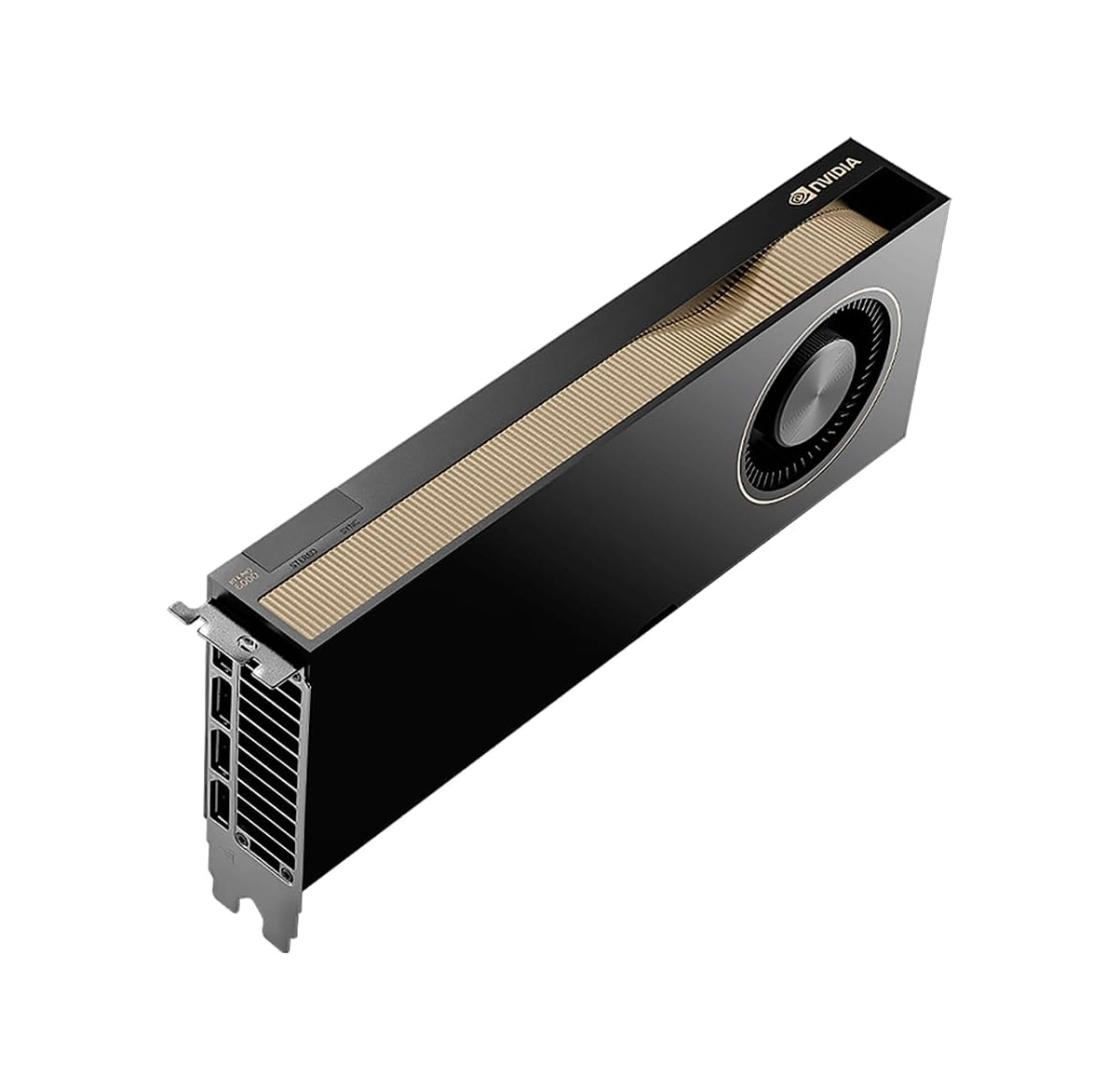
Blackwell Architecture for Professional AI and Graphics
The NVIDIA RTX PRO 6000 Blackwell Max-Q Workstation Edition brings NVIDIA Blackwell architecture to professional desktop and workstation environments. It combines fifth-generation Tensor Cores, fourth-generation RT Cores and a large 96GB GDDR7 memory subsystem with ECC support.
The Max-Q variant is designed for workstation configurations where power draw, thermal design and GPU density are important constraints. It is suited to organizations that need substantial GPU memory and accelerated compute in a more power-conscious dual-slot card.
NVIDIA RTX PRO 6000 Blackwell Max-Q Technical Specifications
The following specifications are based on NVIDIA's published product page and workstation datasheet.
| GPU architecture | NVIDIA Blackwell |
|---|---|
| CUDA cores | 24,064 |
| Tensor Cores | 5th Generation |
| Ray Tracing Cores | 4th Generation |
| AI performance | Up to 351 AI TOPS (FP4 with sparsity) |
| Single-precision performance | 110 TFLOPS |
| RT Core performance | 333 TFLOPS |
| GPU memory | 96GB GDDR7 with ECC |
| Memory interface | 512-bit |
| Memory bandwidth | 1,792 GB/s |
| System interface | PCI Express 5.0 x16 |
| Display connectors | 4 × DisplayPort 2.1b |
| Video engines | 4 × 9th-generation NVENC; 4 × 6th-generation NVDEC |
| MIG configurations | Up to 4 × 24GB, 2 × 48GB or 1 × 96GB instances |
| Total board power | 300W |
| Power connector | 1 × PCIe CEM5 16-pin |
| Thermal solution | Active cooling |
| Form factor | Full-height, dual-slot; approximately 4.4 × 10.5 inches |
96GB GDDR7 with ECC for Large Professional Workloads
The 96GB GDDR7 memory configuration gives the GPU capacity for large datasets, complex 3D scenes, high-resolution assets and memory-intensive AI workloads. Error-Correcting Code (ECC) support helps detect and correct certain memory errors, an important capability for professional and mission-critical workflows.
With a 512-bit memory interface and 1,792GB/s of memory bandwidth, the card is designed to move large volumes of data efficiently between GPU memory and compute resources.
Why Choose the Max-Q Workstation Edition?
The defining characteristic of the Max-Q model is its 300W total board power. This lower power envelope, compared with the standard 600W Workstation Edition, makes the Max-Q model attractive for systems where power availability, thermal headroom and physical GPU density are important.
Power-Conscious Design
A 300W board power target can simplify power and thermal planning compared with higher-power professional GPU configurations, subject to the workstation manufacturer's design.
Active Cooling
The card uses an active thermal solution. Chassis airflow, neighboring expansion cards and sustained workload behavior should be considered when selecting a workstation.
Workloads and Use Cases
AI Development and Inference
Develop, test and run memory-intensive AI workloads locally, including model experimentation, fine-tuning and inference workflows supported by the software stack.
3D Rendering and Visualization
Accelerate ray-traced rendering, complex visualization, high-resolution scenes and demanding creative production pipelines.
Engineering and Simulation
Support GPU-accelerated engineering applications, scientific visualization and simulation workflows where compatible software can benefit from Blackwell hardware.
Video and Media Production
Use multiple NVENC and NVDEC engines for professional video workflows, encoding, decoding and high-resolution media pipelines.
Multi-GPU Workstation Configurations
NVIDIA positions the Max-Q model for dense workstation designs and describes scaling from one to as many as four GPUs in a suitable system. A multi-GPU build can increase available aggregate compute and memory resources for applications that are designed to distribute workloads across GPUs.
Four-GPU support is not guaranteed by the graphics card alone. The workstation chassis, motherboard slot layout, PCIe lane allocation, power supply, cooling capacity, firmware and application software must all support the intended configuration.
Workstation Compatibility and Procurement Checklist
- PCIe slot: a compatible PCIe 5.0 x16 slot is preferred; verify physical clearance and electrical lane availability.
- Power: confirm the required 16-pin PCIe CEM5 power connector and adequate PSU capacity, including CPU and other installed devices.
- Cooling: provide suitable chassis airflow for an actively cooled dual-slot GPU.
- Physical clearance: verify full-height, dual-slot dimensions and card length in the selected workstation.
- Operating system and drivers: validate the supported NVIDIA driver, CUDA and professional application versions.
- Multi-GPU planning: check motherboard, chassis and OEM certification before planning a multi-card build.
NVIDIA RTX PRO 6000 Blackwell Max-Q Price
The NVIDIA RTX PRO 6000 Blackwell Max-Q Workstation Edition price can vary according to regional availability, distributor allocation, order quantity, warranty or support options and delivery destination. Enterprise quotations may also depend on whether the GPU is purchased as a standalone component or as part of a validated workstation configuration.
For an accurate quotation, share the required quantity, destination country and whether you need the GPU alone or a compatible workstation platform. Sadid Gostaran can coordinate a procurement enquiry based on your requirements.
Availability and Lead Time
Availability and delivery lead time are confirmed at the time of quotation. Supply may vary by region, distributor inventory, allocation, order quantity and shipping arrangements.
To receive a relevant estimate, provide the quantity required, destination and target delivery date. Any indicative schedule remains subject to written confirmation and current supply conditions.
Frequently Asked Questions
How much memory does the RTX PRO 6000 Blackwell Max-Q have?
It has 96GB of GDDR7 memory with ECC support.
What is the power consumption of the Max-Q Workstation Edition?
NVIDIA specifies a total board power of 300W. Actual workstation power requirements depend on the full system configuration.
How is the Max-Q model different from the standard Workstation Edition?
The Max-Q model is designed around a 300W power envelope and a density-optimized dual-slot active-cooled design. The standard Workstation Edition has a different power and thermal design. Check each exact SKU before purchasing.
Does this GPU support multi-instance GPU (MIG)?
Yes. NVIDIA lists configurations of up to four 24GB instances, two 48GB instances or one 96GB instance.
Can four Max-Q GPUs be installed in one workstation?
NVIDIA describes scaling up to four GPUs in a suitable workstation. Actual support depends on the chassis, motherboard, power supply, cooling and OEM validation.
How can I check the current price and delivery time?
Contact Sadid Gostaran with your quantity and destination to request current pricing, availability and lead-time information.
Request a Quotation for NVIDIA RTX PRO 6000 Blackwell Max-Q
Contact our team for current pricing, supply status, delivery lead time and workstation compatibility enquiries.
Chat with Sales on WhatsApp ↗WhatsApp: +98 912 427 1734
Available in Iran
Looking for the RTX PRO 6000 Blackwell Max-Q Workstation Edition product page for the Iranian market? Visit the Persian product page for local product information and purchasing options.
View Persian Product PageExplore more: NVIDIA product directory · AI infrastructure in Iran